Introducing Glareless, a browser extension that helps your eyes
TL;DR
I’ve created Glareless, a browser extension that helps your eyes by ensuring that background for text is not excessively bright.
It works in the major browsers. See Installation links.
Contents
Motivation
To sum it up: pages that use full 100% white as background for text are not good for your eyes. On one hand, they force you to stare at a bright light while reading, and on the other, they can result in glare or negatively affect text rendering.
My previous post goes in detail into the madness of white backgrounds on screen.
Installation links
- Glareless for Firefox
- For Chrome: coming soon. Submitted for review 2026/03/31 or, get a release from the repo and install “à la developer”.
- Safari: get a release from the repo
in
tar.gzformat, unpack it, and use the Safari “Developer” preferences to install it locally.
Just to repackage this extension, which works on Safari with the exact same code as with Firefox, I’d have to pay 99 USD/year for an Apple Developer Membership. No, thanks; maybe some other time.
Open source, hosted on sourcehut
I’ve open sourced Glareless, using the Apache 2.0 License. I’m hosting it on sourcehut. The repository: glareless.
I’m trying sourcehut for the first time. The other possible candidate was Codeberg. In any case, not GitHub. GitHub has some awful issues:
- It’s pushing Copilot and AI all the time.
- It’s a … social network, where members have a score based on the number of their contributions per year, and a little graphical display with their daily input. Like a fitness tracker. Damn gamification, and the attending influx of pull requests that are low effort or AI assisted, from people who just want to have good numbers.
GitHub is only a little less annoying than Linkedin.
AI?
I’m hoping that sourcehut will keep the AI bots out of my repo. And that the lack of social widgets and gamification will ensure that incoming pull requests are made in good faith and not for the sake of appearances and achievement trophies.
I have not used AI to generate any code in Glareless.
Once I had my first working prototype of the add-on, I decided to check out Claude Code, to see if it was as worth my time. I quickly came to the conclusion that I preferred coding manually, as I’ve been doing for about three decades.
Claude was able to quickly generate an add-on, but its approach to modifying page DOMs was resulting in ugly pages, and I didn’t manage to convey to it how it could use a more refined approach.
I continued on with my manual coding and redesigning, until finally I hit an algorithm that I find elegant and that works well enough. The conversations I’d have had with a colleague, and my internal dialog, look nothing like the conversations I was able to get with Claude.
I keep seeing hot takes from tech insiders and outsiders saying that coders who don’t use AI will be left behind. But … I enjoy coding! For me, coding is an enjoyable flow of thought. I am in no hurry to delegate that to a machine.
How the algorithm works (I love recursion)
“How hard could it be to change the background color for text?” I hear you
wonder.
It should be as easy as just setting background-color at the <body> of the
web page you’re looking at. However, most web pages use various <section>,
<div>, <article> tags with various background colors for different areas in
the page. So, your background-color setting in <body> will likely be
overridden farther down in the DOM tree,
in the places where most of the text live.
Next idea … why don’t we just set the background-color in the elements that
contain text? For example, paragraphs, encoded as <p> nodes in the DOM.
This was the approached use by Claude. And you get an ugly page that looks like a nervous student highlighting every line in a book:
coloring leaf nodes
These nodes in the DOM like <p> or <a> or <em> will generally not have
children, so they’re leaf nodes. And typically they don’t have direct styling
of their background-color, neither inline nor via CSS selectors, precisely
because that would make them look like a nervous student just highlighted every
line in a book.
So, we don’t want to set the background-color at the top of the DOM, and
probably not in leaf nodes either. What to do?
Initially I used a series of heuristics to find good DOM nodes to set the background color in. But I had a better idea: traverse the DOM, top down, with recursion.
The approach is:
- Given a node
- if it’s a leaf node
- if it has an explicit background setting, and it’s bright, change it and return false (to signal it needs no further processing)
- if it has an explicit background and it’s NOT bright, leave it and return false (no further processing)
- if it has no explicit background-color, return true (pending: further work needed)
- if it has children:
- recursively call for each of its children
- if any children are pending work (they returned true) AND this node has an explicit background, then set the background as needed and return false
- if any children are pending work AND this node does not have a background set, return true
- if it’s a leaf node
This results in the background-color being set pretty much in the same places
it was done in the original page. Pages will look like they did originally, only
with a more muted background. The code gets more complicated than the outline
above, but not a whole lot more.
I love it when recursion clarifies algorithms.
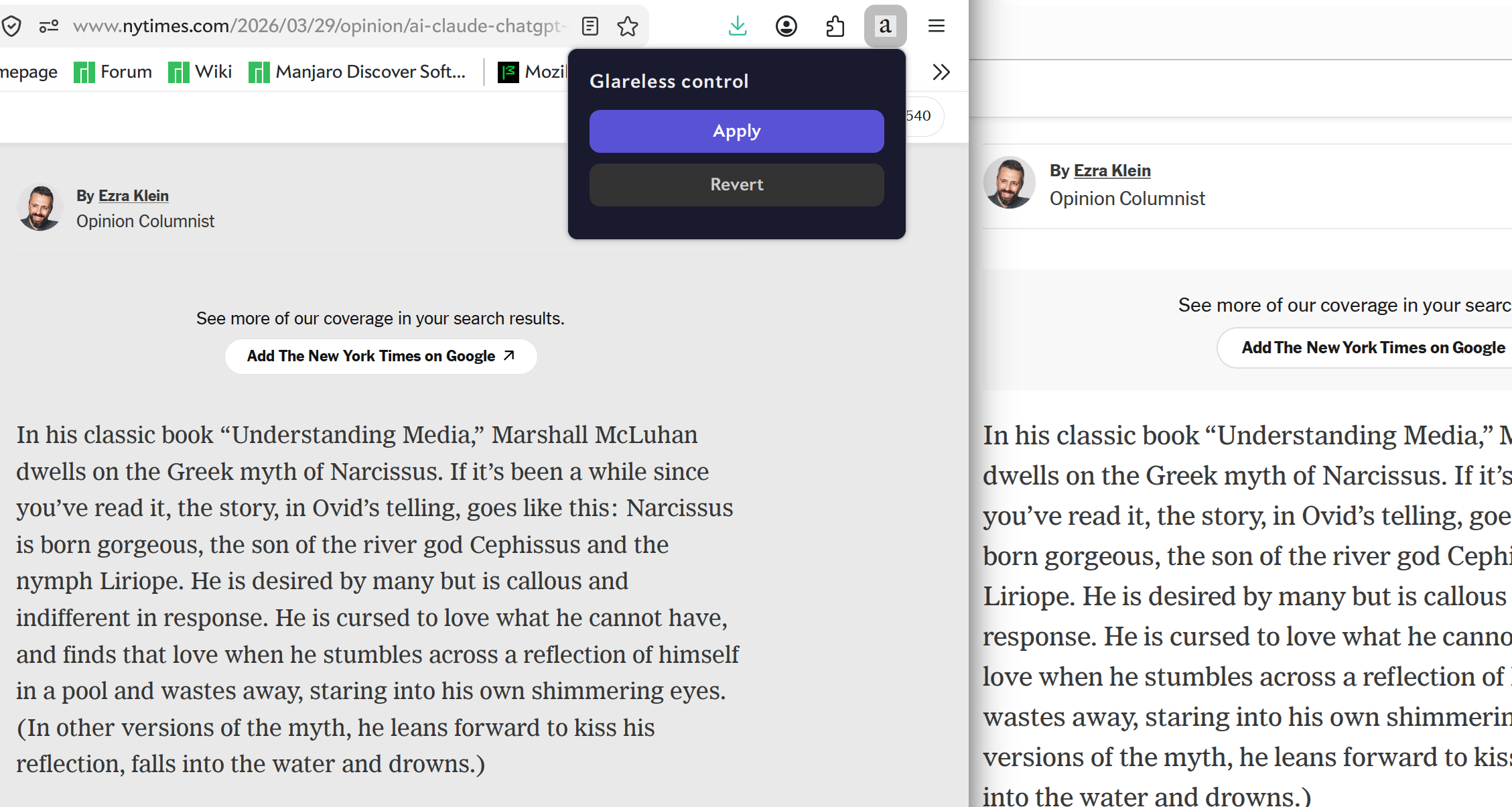
comparison with/without